

Upload beats to YouTube, BeatStars, SoundCloud and Airbit, and post them to TikTok and Instagram.
Your uploads for the month. Done in 30 seconds.
Audia reads the key and tempo, writes the listing and makes a 16:9 video for the stores and a 9:16 one for TikTok, Instagram and YouTube Shorts. You drop the file and pick a preset.
Take the 60-second quiz
Get Audia
2,000+ beats published by users · From $10/mo · Any DAW · No plugin
Quiz-only price. $2 a month or $25 a year off the plan it picks for you.
Try a visual
Over 100 more in the appPreview only, not one of the app's visualisers
Consistency
Make more. Put it all out.
Every beat you put out is another chance for an artist to find you. Keeping that up week after week is the hard part, and it is the part Audia takes off you: a month of releases in one sitting, out on the dates you set.
“You don’t need every beat to be a hit. You need to keep making them until one is.”
“It’s a marathon, not a sprint.”
One upload, start to finish
You barely lift a finger.
Every beat goes through one Upload page in four steps. Once a preset is set up, a whole batch takes about 30 seconds of your time.
UploadUnlimited uploads
Upload
Add your beats, choose a preset, pick where they go. Audia does the rest.
1Beats2Details3Platforms4Review
What are you posting?
Long-form
A 16:9 video for YouTube, plus BeatStars, Airbit and SoundCloud.
Short-form
A 9:16 video for TikTok, YouTube Shorts and Instagram Reels.
Both
Every file goes out in both shapes. Still one upload from your allowance each.
Drop beats or videos here
Browse filesBeats: WAV, MP3, FLAC or AIFF. Videos: MP4 or MOV, up to 10 minutes and 300 MB.
midnight 140bpm Fmin.wav140 BPM · F minor
paper static.wav143 BPM · E minor
studio session.movYour video · 2:41
Tip: put the key and BPM in a beat's file name, like "midnight 140bpm Fmin.wav", and Audia reads them exactly.
midnight 140bpm Fmin
Dark trap
paper static
Dark trap
studio session
Your video
Preset Fills in the title, description, tags, prices and visuals
Dark trap
Trap · 16:9 and 9:16
R&B late night
R&B · 16:9 and 9:16
No preset
Type the details yourself
Visuals A different visual for each video
16:9 · Audia visualiser
From the premium library
9:16 · Your own clip
From Examples → Local
9:16 snippet 0:42 to 1:12
Stems zipCollaborator 50%Schedule
16:9 video From your presets. Change them for this upload.
YouTube
Connected
BeatStars
Signed in through Chrome
Airbit
Signed in through Chrome
SoundCloud
Connected
9:16 video No watermark or Audia text is ever added.
TikTok
Posting as @yourname
YouTube Shorts
3 minutes or less
Instagram Reels
Shared to your profile grid too
TikTok: your choices for each post Saved in your preset
Who can view it: EveryoneCommentDuetStitch
Check everything, then post

midnight 140bpm Fmin
YTBSABSCTTIGSH
Title (BeatStars allows 60 characters)
[FREE] Dark Trap Type Beat - "Midnight"
Caption for TikTok, Instagram and Shorts
Midnight · 140 BPM in F minor. Link in bio. #typebeat #darktrap
3 files to 7 places
Post itRelease the batch: Tue, Wed and Thu at 18:00
One upload from your allowance per beat, whatever mix of long-form and short-form it goes out as.
Your hands stop at step four. Audia renders both videos on your computer and posts them, now or on schedule.
Visuals
A look for every lane.
Over 100 visualisers for every genre, artist or niche. Ranging from lush colourscapes and beautiful artwork to aesthetic videos from real life. Set one in a preset and never think about it again, or use a still image, or drop in your own photo or video.
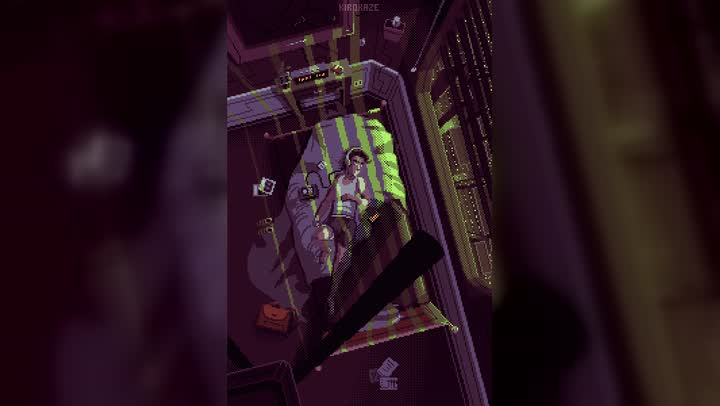



A random nine from the library, shortened here to keep the page quick. Full length and full quality in the app. See how the beat visualiser works.
What you get
Built for the part of the job nobody enjoys.
TikTok, Instagram and Shorts
Every beat can go out as a 9:16 video to TikTok, Instagram Reels and YouTube Shorts, straight away or scheduled up to two months ahead. See Audia for TikTok and Audia for Instagram.
Key and tempo, read for you
Every beat is analysed from the file itself before anything is written, so the listing already knows what it is describing.
The listing writes itself
Title, tags, description and the metadata each platform expects, plus licence pricing for BeatStars and Airbit. Built from your templates and the targeting in your preset, and editable before it goes.
Posted on time, computer off
Schedule TikTok, Instagram and Shorts posts up to two months ahead. They go out at the time you set, even when your computer is asleep or switched off.
Multiple producers, one account
Run up to three producer names from one Industry account, whether that is a team or just multiple aliases. Each with its own presets, history and connected accounts.
Collaborators and splits
Tag collaborators on a BeatStars upload and set profit and publishing percentages per beat, without opening the site.
Stems, packaged
Point Audia at a zip or a stems folder and it ships alongside the beat in the same upload. No exporting, no folder wrangling.
Every link, kept
Upload history holds every beat, every platform and every link, filterable and exportable to CSV or JSON.
The 60-second quiz
Take the quiz
Do you need Audia?
A few quick questions about how you put your beats out. We give you your expected hours saved a month, the best plan for your workflow and a discount.
- Your upload hours, added up
- The plan that fits how you work
- $2 a month or $25 a year off, only from the quiz
Pricing
Less than one sample pack.
And it pays for itself in time saved. One beat to four platforms is about an hour by hand, and about 30 seconds of yours with Audia.
Most producers pick this
$10$95$10$95$8$70/month/year
$95 billed yearlySave over 20% on monthly
Quiz price, held for 2:00
Pro
- 30 beats a month
- Posts to all 6 platforms
- Batch up to 10 at once
- Premium visualiser library
- 5 presets
- Your own media in groups and presets
- Scheduling, collaborators and splits
Industry
- Unlimited beats
- Everything in Pro
- Unlimited presets
- Batch up to 30 at once
- Three producer aliases
- No watermark
- Priority support
5-star rated on Trustpilot · Cancel any time · macOS 11+ and Windows 10+ · Compare plans
What's next
Made for producers, by producers.
And shaped by producers already using it. Let us know your improvements at audiaautomation@outlook.com, or @audiaautomation on Instagram and TikTok.
In progress
More visualisers and still cover art
Audia is constantly creating and acquiring new visualisers and artwork, so more genres and niches are covered and the ones you already use do not get stale.
Exploring
Tell us what to build
Let us know what other features you would like Audia to have. The list below moves around based on what producers actually ask for.
Exploring
Distribution to artists
Send finished beats to artists and labels actively listening for new production.
Exploring
Shared presets
Pass a preset to a collaborator so a lane reads the same across both catalogues.
Questions
Before you commit.
Anything not covered here, mail audiaautomation@outlook.com or message @audiaautomation. You will get a reply from the person who wrote the app.
Not to analyse or render it: that all happens on your own machine, and your YouTube, BeatStars, SoundCloud and Airbit logins stay on your computer. Short-form is the exception. Instagram Reels and scheduled TikTok posts wait in Audia's private storage until they go out, and your TikTok login is kept encrypted on Audia's server so scheduled posts can publish while your computer is off.
Your hands-on time is about thirty seconds: drop the file, pick a preset, post it. Audia then works unattended, and analysis, listing, visual and four uploads typically finish within a couple of minutes, depending on your connection and machine. Once a preset is set up, a whole batch takes about the same thirty seconds.
All of them. Audia works on exported audio, not project files, so anything that bounces a WAV, MP3, FLAC or AIFF is fine. FL Studio, Ableton, Logic, Pro Tools, Reaper, Studio One, Bitwig, GarageBand. There is no plugin to install.
No. There are over 100 visualisers and artwork styles, all reacting to the audio, but you can point any beat at your own photo or video instead, or post your own MP4 or MOV as it is. They are there so you never have to open a video editor, not to lock you in.
No. You choose which platforms are in use, per preset or per upload, and Audia only posts to the ones you have picked. If you only sell on BeatStars and YouTube, connect those two and leave the rest alone.
Yes, on both plans. On the Upload page, choose Short-form or Both, and Audia makes a 9:16 video over a premium visualiser or your own footage, writes the caption from your preset and posts it to TikTok, Instagram Reels and YouTube Shorts, straight away or scheduled up to two months ahead. A beat uses one upload from your allowance, however many places it goes.
Yes, on Industry, which has three producer aliases. Each keeps its own presets, upload history and connected accounts, and you switch between them inside the app without signing in again. Industry has no monthly upload limit.
Make beats.
Not listings.
Install Audia, connect your accounts once, and put the next one out without opening a browser.